 Singapore
 Australia
 Philippines
 India
India5.41 MIN READ
Building Timesheet & Employee Onboarding Apps with Power Apps: Accelerating Digital Transformation
 Vinay Joshi | Jun 26, 2026
Many organisations still rely on spreadsheets, emails, paper forms, and manual processes to manage employee onboarding and timesheet tracking.
While these methods may seem manageable at first, they often create inefficiencies as businesses grow.
Common challenges include:
- Manual data entry
- Approval delays
- Lost or incomplete information
- Limited visibility into employee activities
- Inconsistent onboarding experiences
- Increased administrative workload
This is why many organisations are turning to Microsoft Power Apps to modernise these critical business processes.
Using low-code development and proven templates, businesses can quickly build custom timesheet and onboarding applications that improve efficiency, automate workflows, and provide better visibility across operations.
At Exigo Tech, we help organisations design and implement Power Platform solutions as their Managed Intelligence Partner, ensuring applications are practical, scalable, and aligned with business objectives.
The Problem with Manual Timesheet Management
Many businesses still use:
- Excel spreadsheets
- Email submissions
- Paper-based timesheets
- Disconnected systems
These approaches often create operational challenges.
-
Time-Consuming Administration
Managers spend significant time reviewing and approving submissions.
-
Limited Visibility
Organisations struggle to gain real-time insights into workforce activity.
-
Increased Risk of Errors
Manual data entry often leads to inaccuracies and inconsistencies.
-
Reporting Challenges
Generating reports becomes a labour-intensive process.
As workforce complexity increases, these issues become more difficult to manage.
How Power Apps Improves Timesheet Management
A Power Apps timesheet solution provides a structured and user-friendly experience.
Employees can:
- Enter hours worked
- Record project time
- Submit timesheets digitally
- Track approval status
- Access information from mobile devices
Managers can:
- Review submissions
- Approve or reject entries
- Monitor team activity
- Access real-time reporting
Because Power Apps integrates with Microsoft 365, SharePoint, Dynamics 365, and other business systems, information can flow seamlessly across the organisation.
Key Features of a Power Apps Timesheet Application
A modern timesheet application may include:
-
Mobile-Friendly Access
Employees can submit timesheets from anywhere.
-
Automated Approval Workflows
Power Automate can route submissions to the appropriate manager automatically.
-
Real-Time Reporting
Managers gain immediate visibility into workforce activity.
-
Project and Cost Tracking
Hours can be linked to projects, departments, or cost centres.
-
Integration with Existing Systems
Data can flow into payroll, ERP, or reporting platforms.
This significantly reduces administrative effort while improving accuracy and visibility.
The Challenge of Employee Onboarding
Employee onboarding is another process that frequently relies on manual coordination.
Many organisations manage onboarding through:
- Emails
- Shared documents
- Checklists
- Manual approvals
This might create inconsistent experiences and increase administrative workload.
Without a structured process, organisations may encounter:
- Delayed system access
- Missed onboarding tasks
- Compliance gaps
- Poor employee experiences
- Reduced productivity during the first weeks of employment
How Power Apps Supports Employee Onboarding
Power Apps enables organisations to create customised onboarding experiences that guide new employees through the process.
Instead of relying on multiple emails and spreadsheets, businesses can provide a single application that manages onboarding activities.
This can include:
- New employee information collection
- Equipment requests
- IT access requests
- Policy acknowledgements
- Training requirements
- Compliance documentation
The result is a more consistent and efficient onboarding experience.
Key Features of a Power Apps Onboarding Application
-
Centralised Onboarding Portal
New employees access everything from a single location.
-
Automated Task Management
Tasks are automatically assigned to HR, IT, facilities, and managers.
-
Progress Tracking
Stakeholders can see which onboarding activities have been completed.
-
Document Collection
Forms and required documents can be captured digitally.
-
Workflow Automation
Power Automate can trigger notifications, approvals, and reminders automatically.
-
Compliance Support
Required policies and acknowledgements can be tracked centrally.
This reduces manual coordination while improving accountability.
Why Power Apps Templates Accelerate Delivery
One of the biggest advantages of Power Apps is the ability to leverage templates and proven frameworks.
Rather than building every solution from scratch, organisations can start with established structures and customise them to suit their requirements.
Benefits include:
-
Faster Deployment
Solutions can be delivered more quickly.
-
Reduced Development Costs
Templates minimise the need for extensive custom development.
-
Lower Project Risk
Proven designs reduce implementation complexity.
-
Easier User Adoption
Familiar interfaces improve user experience.
-
Scalability
Applications can evolve alongside business needs.
This approach allows organisations to realise value much faster than traditional software projects.
The Role of Power Automate and Power BI
Power Apps becomes even more powerful when combined with other Microsoft Power Platform services.
Power Automate
Power Automate helps streamline:
- Approval workflows
- Notifications
- Task assignments
- Data movement between systems
This removes repetitive manual work and improves process efficiency.
Power BI
Power BI provides reporting and analytics capabilities.
For example:
- Timesheet trends
- Workforce utilisation
- Onboarding completion rates
- Process bottlenecks
- Operational performance metrics
Together, Power Apps, Power Automate, and Power BI create a connected digital workflow ecosystem.
Benefits of Timesheet and Onboarding Apps
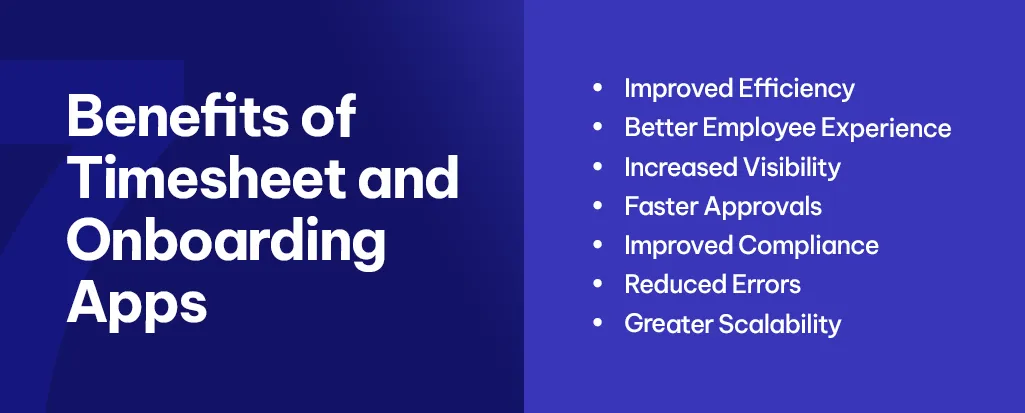
Organisations implementing Power Apps solutions often experience:
-
Improved Efficiency
Manual administration is significantly reduced.
-
Better Employee Experience
Users interact with modern, intuitive applications.
-
Increased Visibility
Managers gain access to real-time information.
-
Faster Approvals
Automated workflows accelerate decision-making.
-
Improved Compliance
Processes become more structured and auditable.
-
Reduced Errors
Digital data capture improves accuracy.
-
Greater Scalability
Applications can grow alongside organisational requirements.
Why Choose Exigo Tech as Your Managed Intelligence Partner
At Exigo Tech, we help organisations transform manual business processes through intelligent Power Platform solutions.
As your Managed Intelligence Partner, we:
- Identify high-value automation opportunities
- Design Power Apps solutions aligned with business goals
- Implement Power Automate workflows
- Develop meaningful Power BI reporting
- Establish governance and security controls
- Support ongoing optimisation and enhancement
Our focus is on delivering solutions that improve operational efficiency while supporting long-term business growth.
From Manual Processes to Intelligent Workflows
Timesheet tracking and employee onboarding are essential business processes, but they should not consume unnecessary time and resources.
With Microsoft Power Apps, organisations can replace spreadsheets, emails, and paper-based processes with intelligent, automated workflows that improve efficiency, visibility, and user experience.
By leveraging proven templates and the broader Power Platform ecosystem, businesses can accelerate digital transformation while creating a stronger foundation for future growth.




 Exigo Tech - Ask AI (Beta)