Australia
 Singapore
 Philippines
 India
7.50 MIN READ
Dynamics 365 Agents in Microsoft 365 Copilot: Connecting Sales and Service Workflows
 Ben Opit | Nov 27, 2026
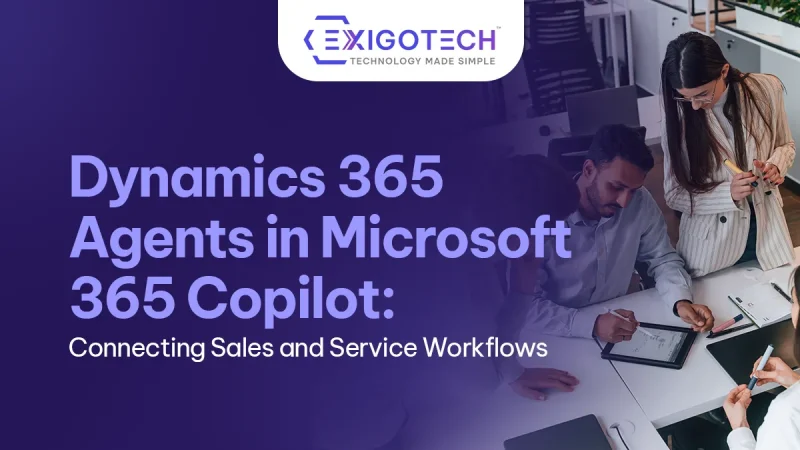
Sales and customer service teams rarely work in one application. A salesperson might review an opportunity in Dynamics 365, check customer emails in Outlook, discuss next steps in Teams and prepare a proposal in Word. Service representatives face similar challenges, moving between case records, knowledge articles, customer correspondence and internal conversations.
These context switches slow down work and make it harder to maintain a consistent view of each customer.
Microsoft is changing this experience by bringing Dynamics 365 intelligence and agent capabilities into Microsoft 365 Copilot. Instead of navigating between systems to find information and complete routine tasks, employees can increasingly access customer context, generate insights and initiate actions from the applications they already use.
For organisations investing in Dynamics 365 Sales and Customer Service, this creates an opportunity to rethink how customer-facing work gets done, not simply add another AI assistant.
What Are Dynamics 365 Agents in Microsoft 365 Copilot?
Dynamics 365 agents extend customer relationship management (CRM) information and business capabilities into supported Microsoft 365 Copilot experiences.
- The idea is straightforward: employees interact with AI through familiar tools, while Dynamics 365 continues to provide the underlying customer records, business processes and operational context.
- This differs from using generative AI simply to draft an email or summarise a document. When properly configured, the agent can ground its responses in business data and support actions within connected workflows.
However, the experience is not identical across every application or licence. Organisations should verify supported scenarios, permissions and availability before planning a deployment.
How Sales Workflows Are Changing
Sales teams spend considerable time preparing for meetings, reviewing opportunities, updating CRM records and following up with prospects. Agents can help reduce this administrative work while giving sellers more time to focus on customer relationships.
1. Account research without switching applications
A seller preparing for a meeting can ask the Sales agent for an account summary, recent opportunity changes or relevant meeting context. Rather than manually collecting information from multiple records and productivity tools, the seller can start with a consolidated view.
The value depends on the quality and accessibility of the underlying data. Outdated contacts, incomplete opportunity records and fragmented customer histories will still limit the usefulness of AI-generated insights.
2. Better follow-ups and CRM updates
After a customer meeting, an agent can help capture key takeaways, draft a follow-up email and identify potential updates to opportunity records.
This reduces repetitive administration and helps maintain CRM records. Teams should still define which changes can be completed automatically and which require a seller’s review or approval.
3. More informed opportunity management
Sales leaders and account managers can use natural-language questions to investigate account activity, identify potential deal risks and prepare for pipeline reviews.
These insights can support prioritisation, but AI-generated recommendations should be checked against current CRM data and the team’s sales methodology. An agent can surface relevant signals; it cannot guarantee that a deal will close.

How Service Workflows Are Changing
Customer service teams need to resolve issues quickly while maintaining accurate records and consistent communication. Agents can bring case information, internal knowledge and customer context into the flow of work.
1. Faster access to case history
A representative can ask questions about a customer’s cases, recent interactions and relevant service information through Service Agent. This can reduce the time spent searching across systems before responding.
The response is only as reliable as the information the agent can access. Knowledge articles, case notes and customer records need to be maintained and governed appropriately.
2. More efficient case handling
Agents can help representatives understand an issue, research potential answers, prepare customer responses and support actions such as adding case notes or initiating supported workflows.
For example, a representative reviewing a recurring billing issue could retrieve the customer’s case history, consult approved knowledge and prepare a response for review. Where the relevant integration and permissions are configured, the workflow may also support updates to the service record.
3. Better collaboration beyond the service desk
Some customer issues require input from account managers, finance teams or technical specialists. Bringing service context into Microsoft 365 can help employees collaborate without repeatedly reconstructing the customer’s history.
What This Means for Dynamics 365 and Microsoft 365 Strategy
The broader change is that employees may no longer need to begin every customer task inside the CRM application itself.
Instead, Microsoft 365 Copilot can become an additional interface for accessing business information and completing supported work. Dynamics 365 remains important as the system that holds customer records and governs core business processes.
For IT and business leaders, this creates three practical considerations:
- Integration matters more: CRM data, Outlook, Teams and organisational knowledge must work together reliably.
- Governance must follow the workflow: Permissions, access controls and approval requirements need to remain effective when employees interact with CRM data through Copilot.
- Adoption requires process redesign: The biggest gains are likely to come from removing unnecessary steps in defined workflows, rather than simply giving employees access to another AI tool.
What Should Organisations Prepare Before Adopting Dynamics 365 Agents?
Before rolling out these experiences, assess the foundations that determine whether agents can deliver reliable results.
- CRM data quality: Review duplicate records, missing fields, outdated contact details and inconsistent case categorisation.
- Microsoft 365 integration: Identify the information and workflows employees need across Outlook, Teams, SharePoint and Dynamics 365.
- Security and permissions: Validate role-based access, data boundaries, sensitive information handling and administrative controls.
- Workflow selection: Start with specific tasks such as meeting preparation, case summarisation or follow-up drafting, with clear measures of success.
- Human oversight: Decide where employees must review outputs, approve updates or handle exceptions.
- Licensing and availability: Confirm prerequisites, supported applications, regional availability and licensing costs before committing to a rollout.
A measured approach allows organisations to test business value, address governance gaps and expand adoption based on evidence.
Why Choose Exigo Tech as Your Managed Intelligence Partner
We help organisations connect business applications, data, automation and AI to practical business outcomes. Its capabilities can support the planning and implementation of Dynamics 365 and Microsoft Copilot initiatives.
- Dynamics 365 consulting: Align Sales and Customer Service capabilities with customer-facing processes and operational priorities.
- Microsoft 365 integration: Connect collaboration workflows with relevant business applications and information sources.
- Power Platform and automation: Identify opportunities to streamline processes and extend workflows where appropriate.
- Data and analytics: Improve data quality, reporting and visibility to support more reliable AI-assisted decisions.
- Security and governance: Establish appropriate controls for access, information handling and responsible AI adoption.
- Managed and professional services: Support implementation, ongoing optimisation and continuous improvement.
As a Managed Intelligence Partner, we focus on helping organisations move beyond deploying AI features to building connected, governed workflows that deliver measurable value.
 Exigo Tech - Ask AI (Beta)