
 Philippines
 Australia
 Singapore
 India
India7.47 MIN READ
When Should You Use Agent Builder Instead of Copilot Studio?
 Ben Opit | Oct 19, 2026

Within Microsoft’s AI ecosystem, businesses have multiple ways to create AI agents. Two important options are Agent Builder in Microsoft 365 Copilot and Microsoft Copilot Studio.
The challenge is knowing which one to use.
Agent Builder can be a practical choice when a business needs a focused agent that can be created quickly by business users. Copilot Studio is better suited to more advanced scenarios involving integrations, workflows, custom actions, governance, and broader deployment requirements.
Choosing the right platform early can help organisations avoid unnecessary complexity while ensuring their AI solution can scale as requirements evolve.
At Exigo Tech, we help organisations select and implement the right AI capabilities as their Managed Intelligence Partner, aligning Microsoft Copilot, Copilot Studio, automation, data, and governance with business objectives.
What Is Agent Builder?
Agent Builder is a capability within Microsoft 365 Copilot that allows users to create customised agents for specific tasks and business needs.
It is designed to make agent creation more accessible to business users without requiring extensive development expertise.
Organisations can use it to create focused agents that help employees:
- Find information
- Answer questions
- Summarise content
- Work with organisational knowledge
- Support specific business processes
Its simplicity makes it useful for teams that want to move quickly from an idea to a working AI assistant.
What Is Microsoft Copilot Studio?
Microsoft Copilot Studio is Microsoft’s more advanced platform for building and managing AI agents and conversational experiences.
It provides capabilities for creating agents that can interact with business systems, workflows, APIs, and other services.
Copilot Studio is better suited to scenarios requiring:
- Custom integrations
- Business process automation
- Custom actions
- External data sources
- Advanced orchestration
- Enterprise governance
- More complex agent behaviour
It gives organisations greater control over how agents interact with business processes and technology environments.
Agent Builder vs Copilot Studio
The easiest way to understand the difference is to think about simplicity versus extensibility.
| Agent Builder | Copilot Studio |
| Designed for faster, simpler agent creation | Designed for more advanced agent development |
| Business-user friendly | Better suited to technical and business teams |
| Focuses on specific knowledge and tasks | Supports complex business processes |
| Less technical configuration | Greater customisation |
| Ideal for Microsoft 365 scenarios | Better for broader enterprise scenarios |
| Faster to deploy | More planning and governance may be required |
Neither platform is universally better.
The right choice depends on the business problem you are trying to solve.
When Agent Builder Makes More Sense
1. You Need a Simple Internal Assistant
Suppose your HR team wants an agent that answers employee questions using approved internal policies and documents.
You may not need a complex application architecture.
Agent Builder can provide a simpler way to create an assistant around defined business knowledge.
2. The Agent Is Primarily for Microsoft 365 Users
If the intended audience already works inside the Microsoft 365 ecosystem, a lightweight agent may be enough.
For example, employees could use an agent to help them find:
- Internal policies
- Procedures
- Project documentation
- Company information
- Team resources
This can improve information discovery without requiring a complex custom solution.
3. You Want to Validate an Idea Quickly
Agent Builder can also be useful for experimentation.
Business teams can test whether an AI agent solves a genuine problem before investing in a larger development project.
This supports a practical approach:
Idea → Prototype → Validate → Scale
If the use case proves valuable but later requires deeper integration, the organisation can consider a more advanced Copilot Studio implementation.
4. You Don’t Need Complex Integrations
If an agent mainly needs access to approved knowledge sources and does not need to perform complex actions across multiple systems, Agent Builder may be sufficient.
The simpler architecture can reduce implementation effort and time to value.
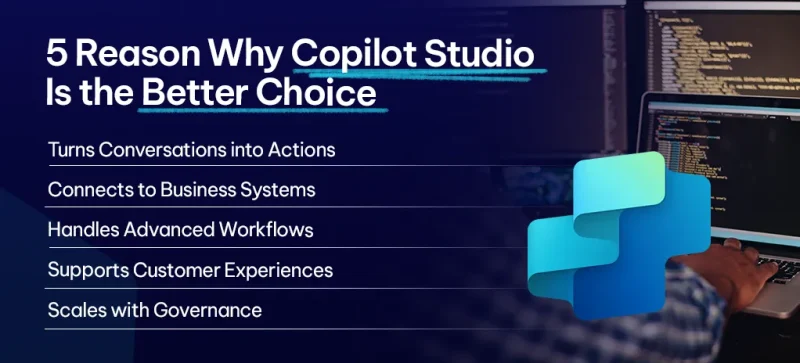
When Copilot Studio Is the Better Choice
1. The Agent Needs to Take Actions
The biggest difference emerges when an agent needs to do more than answer questions.
For example, you may want an agent to:
- Create a service request
- Update a CRM record
- Retrieve information from an ERP
- Trigger an approval
- Start an automated workflow
- Perform a business transaction
These scenarios are better suited to Copilot Studio.
2. You Need Custom Integrations
Enterprise agents often need to interact with systems outside Microsoft 365.
These could include:
- ERP platforms
- CRM systems
- Databases
- APIs
- Third-party applications
- Custom business systems
Copilot Studio provides greater flexibility for connecting agents with business applications and services.
3. You Need More Advanced Workflows
Some business processes involve multiple steps and decisions.
For example:
A customer submits a request → the agent verifies information → checks a business system → initiates a workflow → routes the request → provides a response.
This type of orchestration requires more advanced capabilities than a simple knowledge-based assistant.
4. You Are Building Customer-Facing Experiences
If an agent needs to interact with customers or external users across broader channels, Copilot Studio may be the more appropriate platform.
It provides capabilities designed for building more sophisticated conversational experiences beyond a simple internal Microsoft 365 assistant.
5. Governance and Scale Are Critical
Enterprise AI adoption requires governance.
Large organisations may need stronger controls around:
- Agent ownership
- Environments
- Security
- Data access
- Lifecycle management
- Monitoring
- Deployment
- Business accountability
Copilot Studio provides a broader platform for organisations developing and managing more sophisticated agent ecosystems.
A Simple Decision Framework
Ask these questions before choosing your platform:
Does the agent primarily answer questions using existing business knowledge?
→ Agent Builder may be appropriate.
Does the agent need to interact with business systems?
→ Consider Copilot Studio.
Does it need to perform actions or trigger workflows?
→ Copilot Studio is likely the better option.
Is it an internal Microsoft 365 productivity assistant?
→ Agent Builder may be sufficient.
Will it become a customer-facing or enterprise-wide application?
→ Copilot Studio may provide greater flexibility.
Are you testing an AI idea before making a larger investment?
→ Agent Builder can be a good starting point.
Governance Still Matters
Even simple AI agents should operate within appropriate governance boundaries.
Organisations should consider:
- Data access
- Sensitive information
- User permissions
- Agent ownership
- Approved use cases
- Security
- Human oversight
- Ongoing monitoring
As agents become more capable and begin performing actions, governance becomes even more important.
A strong AI governance framework helps ensure experimentation can happen without creating unmanaged AI risks.
Why Choose Exigo Tech as Your Managed Intelligence Partner
At Exigo Tech, we help organisations determine where AI agents can deliver genuine business value and which Microsoft technologies are appropriate for each use case.
As your Managed Intelligence Partner, our capabilities include:
- Microsoft 365 Copilot
- Agent Builder
- Copilot Studio
- AI Agents
- Power Platform
- Azure AI
- AI Governance
- Data and Analytics
- AI Strategy and Readiness
- Managed IT and Security
Our approach focuses on business outcomes rather than simply implementing another technology platform.




 Exigo Tech - Ask AI (Beta)